4:3720P47sSubtitle
Dual Character MV
Two reference images, cyan subtitles, 4:3 framing, and a 47-second music clip transformed into a finished AI music video.
AIMakeSong is an AI music video generator online that turns your track into a video. Upload an audio file, choose visuals, and generate in minutes.
Trusted by music video creators
AIMakeSong is built for stable output and safe handling — clear specs, honest trade-offs, and a workflow that ships videos for real channels.




Examples
Pick a result, hit Use this template, and the audio, reference images, and settings load straight into the generator.
Two reference images, cyan subtitles, 4:3 framing, and a 47-second music clip transformed into a finished AI music video.
Two uploaded reference images and a short MP3 are combined into a polished AI music video with a finished motion result.
Two portrait reference images and an MP3 are ready as a reusable AI music video template.
Bree and Klee remember each other across animated scenes, hug, play with toys, and run through a Genshin-inspired fantasy world.
Three birthday celebration images and a festive audio track assembled into a joyful AI music video.
A cartoon character brought to life in a vivid AI music video — neon-lit dog house, moonlit sky, and a playful anime animation style.
Create an AI music video from audio in three short steps — no editing stack required.
Drop in your song — any genre, any length. You can also pick a track from your library inside AIMakeSong. This is where the AI music video generator starts, straight from your song.
Add images for the video — people, landscapes, or a mix. The system can auto-match scenes, and you can guide it with a prompt like neon city, fast cuts, dark mood.
Generate with one click. Short clips can finish in about 1 minute. A 5-minute music-to-video export can often finish within about 10 minutes.
STORY: in the pulsing, neon-drenched sprawl of a near-future city, a courier rides through the rain while a rebellious lyric rolls across the skyline…
Speed, length, and export-ready options — focused on what actually ships.
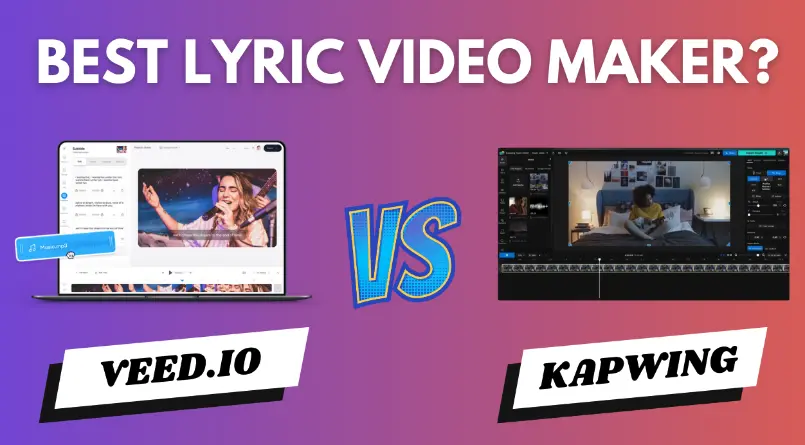
Built around your audio. Upload a track, pick a vibe, and ship an export-ready video for YouTube, TikTok, and Spotify Canvas.
Support up to 5 minutes for full-track output — not just 15-second loops.
A 5-minute music-to-video export can often finish within about 10 minutes, depending on load and settings.
Mouth movement tracks the vocal. Results depend on face style, camera angle, and how clear the audio is.
Add subtitles and export 16:9, 9:16, 1:1 — built for YouTube, Reels, and Spotify Canvas.
Paid users can use generated videos commercially — client work, ads, and monetized channels. You still need rights to the audio you upload.
Secure processing and access control around your uploads and generated assets.
Five concrete differences that change your day-to-day output.
The track is the brief. Visuals follow your audio’s tempo, structure, and mood — not the other way around.
Steer the look with one short line of text. No timelines, no keyframes — just write the vibe.
Up to 5 minutes lets you ship full releases — not just teasers or 15-second hooks.
Client work, ads, and monetized channels are all supported on paid plans (you still need rights to the audio).
Multiple ratios and subtitles, ready for YouTube, TikTok, Reels, and Spotify Canvas — no re-export gymnastics.
Six concrete jobs where AIMakeSong replaces the usual editing stack.
Make one full music video and several short cuts from the same track — release-day-ready.
Vertical clips that match the beat and stay readable on mobile.
16:9 video that supports a full listen on the big screen.
Short looping visuals tuned to your brand style.
Ship a first version fast, then iterate with prompts for the client review loop.
Generate mood visuals that fit BPM and song sections — for DJ booths and venues.
Two strategies, eight ready-to-paste style recipes, a five-layer prompt formula, and eight pro tips — pulled straight from prompts that ship real music videos.
The generator reads your lyrics and builds a connected story across scenes. Use this whenever the words carry the meaning.
Follow the lyrics for storyboarding. Build a connected story from the song narrative.Take the wheel. The generator ignores the lyrics and follows your prompt — perfect for instrumentals, dance, or abstract concepts.
Do not follow lyrics for storyboarding. Use the prompt below to set the scenes instead.Eight battle-tested style snippets for your AI music video maker. Copy a recipe, paste it into the generator, swap a noun or two — done.
realistic style, mid-shot, front-facing camera, studio lighting, natural facial expression, soft skin tones, clear mouth movementTip:Use mid-shot, front-facing photos for clean lip alignment.
5 young dancers on the same stage, synchronized Korean choreography, dynamic poses, stage spotlights, fan glow sticks, 4K realistic, front view, unified outfitsdark realistic, cyberpunk neon palette, hand-held camera, high contrast, film grain, rain at night, ruined alleys, dramatic shadowssoft cool natural light, low saturation, minimal composition, realistic daily texture, window-side reflection, healing vibeHasselblad camera feel, Tyndall effect god rays, bokeh, warm golden tone, high saturation, three friends laughing, slow circling shot3D render, 8K, surrealism, tech blue and metallic silver, warning red accents, cinematic light, dark romance, epic scaleink wash style, low saturation cyan-blue palette, misty rain southern China, moonlit melancholy, 4K cinematic, slow push-pull2D animation, Makoto Shinkai-style emotional framework, bright sky, sentimental angles, soft pastel, light particles, hopeful toneA great AI music video prompt stacks five short layers. Each layer tells the generator one job — no walls of text needed.
Lock the look — era, medium, palette
cinematic, cyberpunk neon, 8KPush a story arc the AI follows
boy meets girl, separation, reunionFaces, outfits, identity anchors
5 dancers, unified white outfitsLocations, props, set pieces
rooftop terrace, dusk skylineMovement, angle, light source, mood
slow push-in, Tyndall light, bokehLip sync videos work best with front-facing, mid-shot photos — close-ups or profile angles lose mouth alignment.
Upload 1–7 images per generation. Mixing style references and character references in one shot can cause style conflicts.
Image aspect ratio must stay within 1:4 ~ 4:1, and each image must be under 50MB.
Keep prompts under 3000 characters. Short, layered prompts beat one long paragraph every time.
For consistent identity, provide a character three-view reference (front + side + back) instead of random selfies.
Upload an SRT timeline file when you want lyric subtitles perfectly synced to the beat.
Match the aspect ratio to the platform: 16:9 for YouTube, 9:16 for TikTok and Reels, 1:1 for Instagram feed.
For story videos, write Follow the lyrics for storyboarding. For free creative videos, write Do not follow lyrics — use this prompt instead.
If you need a music video generator AI workflow that starts from your track, AIMakeSong helps you go from audio to export-ready video fast.
More tools
Make music, video, and images in one place — swipe to try the next tool.
Turn a prompt into a full original song in minutes.
Open
Paste a story or idea and generate a complete track.
Open
Write verses, hooks, and choruses with AI.
Open
Hum a melody and turn it into a finished song.
Open
Cover any song with a new voice or style.
Open
Split vocals from the instrumental in one click.
Open
Separate vocals, drums, bass, and more.
Open
Make a video from photos with music.
Open
Generate cover art and visuals from a prompt.
Open
Restyle a photo into a new look.
Open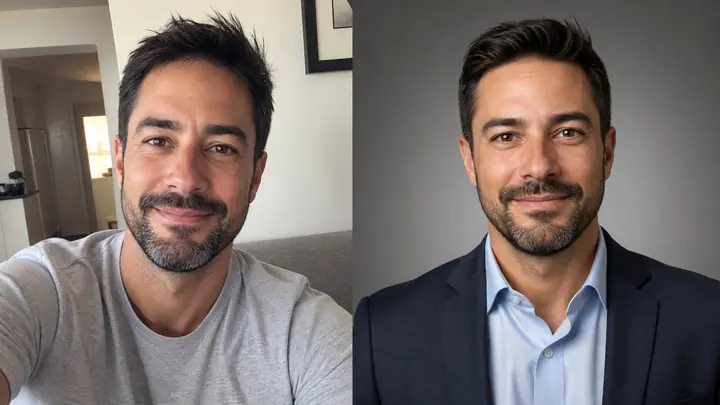
Turn a selfie into a studio-quality headshot.
Open