Free FNF Song Maker: Create Custom FNF Songs with AI
AI Make Song
7/16/2026
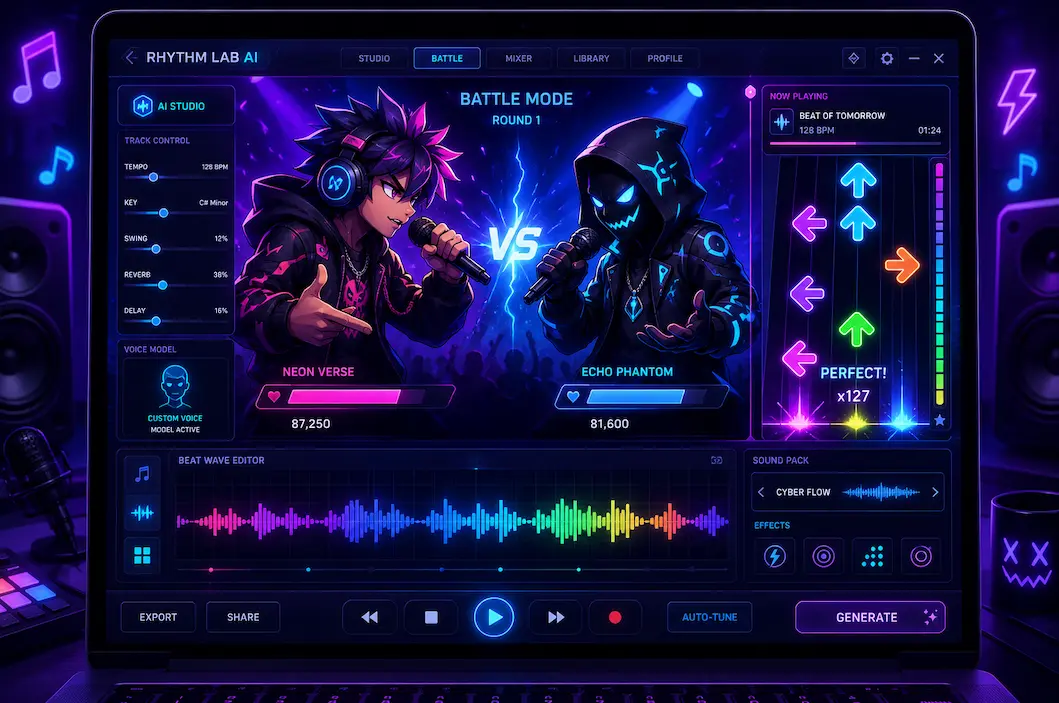
Want to make your own Friday Night Funkin' track without using FL Studio or learning music theory? AIMakeSong's fnf song maker helps you create custom battle music with AI. Type your idea, choose a style, and download vocals, instrumentals, and stems in minutes.
You can use it to make fast boss songs, cute character themes, glitchy horror tracks, or funny meme battles. You do not need a studio. You do not need plugins. You only need an idea.
In this guide, you will learn how an ai fnf song maker works, how to create your first track, how to export files for mods, and how to get better results from each prompt.
What Is an FNF Song Maker?
An fnf song maker is a tool that helps you create music inspired by Friday Night Funkin'. It can generate battle tracks with catchy beats, synth melodies, and vocal-style sounds that fit rhythm-game gameplay.
A good fnf music maker does more than make a simple loop. It helps you build a full song with energy, structure, and character. That matters because FNF music needs to feel fun to play, not just nice to hear.
AIMakeSong makes this process simple. You describe the track you want. The AI creates the music. Then you can preview, edit your prompt, and download the final result.
This makes it useful for:
- FNF mod creators
- YouTubers
- Streamers
- Fan game makers
- Meme creators
- Players who want custom songs
You do not need to know music theory. You do not need to record vocals. The AI does the heavy work for you.
Why Use an AI FNF Song Maker?
Making FNF music by hand can take hours or days. You may need a DAW, plugins, samples, vocal chops, mixing skills, and a good ear for rhythm.
An ai fnf song maker cuts that work down to a few steps. It helps you move from a rough idea to a usable track much faster.
With AIMakeSong, you can:
- Generate a full FNF-style track from text
- Choose the mood and genre
- Create vocals and instrumentals
- Export separate files for modding
- Test different versions quickly
- Build songs even if you are new to music
This is helpful when you are working on a mod and need music fast. Instead of waiting for a producer, you can create a track yourself and keep building.
How to Make Your Own FNF Song in 3 Steps
If you want to make your own fnf song, the process is simple. Start with a clear idea, guide the AI with details, then export the files you need.
Here is how to do it.
Step 1: Describe Your Battle
Open AIMakeSong and start with a short prompt. Tell the AI what kind of FNF battle you want.
A strong prompt can include:
- Mood
- Tempo
- Genre
- Character type
- Vocal style
- Energy level
For example:
Fast electronic boss battle with glitchy synths, angry vocals, hard drums, and high energy.
This tells the tool what to create. It is much better than writing only:
Cool FNF song.
The more clear your prompt is, the closer the result will be to your idea.
Step 2: Choose the Style and Voice
Next, choose the style that fits your mod. You can go for funk, chiptune, horror, rock, metal, electronic, lo-fi, or a mix of styles.
If you want character vocals, use the fnf voice maker features to guide the sound. You can ask for vocals that feel high-pitched, deep, cute, scary, robotic, glitchy, or aggressive.
For example:
- High-pitched and playful vocals
- Deep distorted villain vocals
- Glitchy robot voice
- Cute cartoon vocal sounds
- Aggressive rap-style delivery
These details help the AI create a voice that matches your character.
Step 3: Generate and Download Your Track
After your prompt and settings are ready, generate the song. Listen to the preview. If the track is close but not perfect, change the prompt and try again.
You can make the song faster, darker, happier, heavier, or more chaotic with small prompt changes.
When you like the result, download your files. AIMakeSong can give you the full mix and separate fnf song stems, such as vocals and instrumentals. These files are useful when you want to put the song into a chart editor or mod folder.
What Can You Create with AIMakeSong?
AIMakeSong works for many FNF music ideas. You can create simple songs for early levels or wild songs for final bosses.
Here are some popular ideas.
Create a Custom FNF Pico Song
Pico has a sharp, confident, and high-energy style. A good fnf pico song should feel bold, fast, and full of attitude.
To make one, use words that match his vibe:
- Rap battle
- Street style
- Confident
- Punchy drums
- Sharp rhythm
- Fast flow
- Aggressive energy
Example prompt:
Fast rap-style FNF battle with punchy 808s, sharp hi-hats, confident vocals, and street-style energy.
This kind of prompt can help you create a track that feels like a strong Pico-inspired battle while still sounding new.
Make the Hardest FNF Song for a Boss Fight
Many players love extreme charts. If you want to make the hardest fnf song in your mod, the music should feel fast, dense, and intense.
Use a prompt with:
- High BPM
- Chaotic drums
- Fast vocal patterns
- Heavy bass
- Glitch effects
- No long breaks
Example prompt:
200 BPM breakcore boss battle with chaotic drums, distorted glitch vocals, heavy bass, and nonstop energy.
This gives you a strong base for an expert-level chart. You can then build hard note patterns around the rhythm.
Just remember one thing: hard songs should still feel fair. If the music has a clear beat, players can learn it and improve.
Build the Longest FNF Song for a Multi-Phase Fight
Some FNF mods use long songs for major story moments. A long track can make a boss battle feel bigger and more dramatic.
If you want to make the longest fnf song in your project, plan it in phases. Do not make one loop repeat forever. Give the song changes.
A good long song might have:
- A slow intro
- A fast first battle section
- A quiet middle break
- A darker second phase
- A final high-energy ending
Example prompt:
Long progressive electronic FNF battle. Starts slow and eerie, builds into fast glitch drums, drops into a quiet middle section, then ends with chaotic boss energy.
This helps the AI create a song that feels like a journey. It also gives your chart more variety.
Make Songs Inspired by the Best FNF Songs
The best fnf songs are not just fast. They are memorable. They have strong hooks, clear rhythm, and character.
When you create your own track, think about what makes FNF music fun:
- A catchy melody
- A clear call-and-response feel
- Vocals that match the character
- Drums that support the chart
- Energy that grows over time
- Short breaks that give players room to breathe
You can use these ideas in your prompt.
Example:
Catchy funk battle with bright synths, bouncy drums, playful vocals, and a strong call-and-response rhythm.
This kind of prompt works well for songs that players want to replay.
How FNF Song Stems Help Your Mod
If you are making an FNF mod, clean audio files matter. Most FNF charts use separate instrumental and vocal files. This makes the song easier to control inside the game.
That is why fnf song stems are so useful.
Stems can include:
- Instrumental track
- Vocal track
- Beat layer
- Melody layer
- Effects layer
With separate files, you can place the music into your mod more easily. You can also adjust levels, mute parts, or fix timing issues.
AIMakeSong helps by giving you mod-ready audio exports. You do not need to use a separate audio splitter after generation. This saves time and helps your song sound cleaner.
Using AIMakeSong with an FNF Mod Maker Online
AIMakeSong is focused on creating music. You can use it together with an fnf mod maker online or a chart editor.
A simple workflow looks like this:
- Create your song in AIMakeSong.
- Download the full mix and stems.
- Open your FNF chart editor or mod tool.
- Import the instrumental and vocal files.
- Build the note chart around the rhythm.
- Test the song in-game.
- Adjust timing if needed.
This workflow is simple and fast. AIMakeSong handles the music, while your mod tool handles the chart, sprites, and gameplay files.
That way, you can focus on making the battle feel fun.
FNF Songs Download: How to Export Your Track
The fnf songs download process is simple. After your song is ready, choose the file type you need and save it.
For quick sharing, MP3 is usually fine. For modding and editing, WAV is often better because it keeps more audio detail.
You can download:
- Full song mix
- Instrumental file
- Vocal file
- Separate stems, if available
Before you publish your mod or video, check AIMakeSong's latest usage terms. Generated songs are designed for creator use, but it is always smart to review the license if you plan to use the track in a public or commercial project.
How to Get Better Results from the FNF Voice Maker
The fnf voice maker works best when you describe the character, not just the sound.
Instead of saying:
Make vocals.
Try saying:
High-pitched playful vocals for a cute but chaotic character.
Or:
Deep distorted vocals for a scary final boss.
Here are a few useful voice prompt ideas:
- Nasal arcade-style vocals for a tricky rival character
- Soft but eerie vocals for a ghost-themed battle
- Metallic robot vocals with sharp syllables and glitch effects
- Confident teen vocals with punchy rhythm and playful attitude
- Monster boss vocals with deep distortion and sudden pitch jumps
Small words can change the whole feeling of the song. Try a few versions until the voice fits your character.
Tips for Making Better FNF Music
A good FNF track needs more than speed. It needs rhythm, contrast, and personality.
Use these tips to improve your results.
Be Specific with Your Prompt
Vague prompts give vague results.
Instead of:
Make a battle song.
Use:
Fast funk battle with slap bass, snappy drums, bright synths, and playful high-pitched vocals.
This gives the AI a clear target.
Match the Song to the Character
The music should feel like the character.
A silly character should not sound like a horror boss unless that contrast is the joke. A final boss should feel bigger than a week-one rival. A calm character may need smoother sounds and fewer harsh effects.
Think about the character first. Then write the prompt.
Plan the Difficulty Early
The song and chart should work together. If you want an easy level, use a clearer beat and a medium tempo. If you want a hard level, use faster rhythms and more intense drums.
A useful guide:
- Easy: medium tempo, simple rhythm, obvious downbeats
- Normal: faster sections, light syncopation, more active drums
- Hard: dense percussion, quick vocal patterns, stronger energy shifts
- Expert: very high BPM, layered rhythms, minimal downtime, aggressive transitions
This helps players feel the challenge without feeling lost.
Generate More Than One Version
Your first result may be good. Your second or third may be much better.
Try changing one detail at a time:
- Make it faster
- Add more bass
- Make vocals deeper
- Add glitch effects
- Make the mood darker
- Make the drums cleaner
This helps you find the best version without starting from zero.
Test the Track in Your Mod
A song can sound great alone but feel wrong in gameplay. Always test it in your chart editor or mod build.
Check for:
- Beat timing
- Vocal timing
- Note flow
- Audio balance
- Section changes
- Player difficulty
If something feels off, go back and adjust the song or chart.
FAQ About FNF Song Makers
What is the best FNF song maker for beginners?
AIMakeSong is a strong choice for beginners because it lets you create FNF-style music from text. You can describe the song, generate it with AI, and download the result without using complex music software.
Can I make my own FNF song without music skills?
Yes. You can make your own fnf song with a prompt-based tool like AIMakeSong. You only need to describe the mood, style, speed, and character voice you want.
Can I use AIMakeSong as an FNF creator?
Yes. AIMakeSong can work as an fnf creator for music. It helps you create the audio part of your FNF project, including vocals, instrumentals, and stems.
Can I download FNF song stems?
Yes. AIMakeSong can export fnf song stems so you can use separate vocal and instrumental files in your mod workflow.
Can I use an FNF song maker for mods?
Yes. You can create music with an fnf song maker and then import the files into your mod tool or chart editor. Always check the usage terms before publishing a public or commercial project.
What makes the best FNF songs fun to play?
The best fnf songs usually have a strong beat, catchy melody, clear vocals, and good energy changes. They are fun to hear and easy to chart.
Can I create the hardest FNF song with AI?
Yes. You can use an AI tool to create the hardest fnf song style by asking for high BPM, chaotic drums, fast vocals, and intense energy. The final difficulty also depends on your chart.
Can I create a custom FNF Pico song?
Yes. To create an fnf pico song, use prompts with words like rap battle, punchy drums, confident vocals, street style, and fast rhythm.
Start Making FNF Music Today
You do not need a music studio to make a great FNF track. You do not need expensive plugins or years of practice.
With AIMakeSong's fnf song maker, you can turn a simple idea into a custom battle song in minutes. Create vocals, build instrumentals, export stems, and bring your mod to life faster.
Try AIMakeSong today and create your first FNF track with free daily credits.
Ready to Start Creating?
▶ Try AI Song Generator Now - Transform your ideas into complete songs instantly
🎵 Use Vocal Remover Tool - Separate vocals from any song with AI
🖼️ Try Photo to Music AI - Turn photos into matching music online
🎬 Create AI Music Videos - Turn your tracks into videos with AI
Explore More AIMakeSong Tools
Music Tools
- AI Song Maker: Generate Unique Music Free
- AI Music Generator: Create Songs with AI
- Text to Song Generator: Create Music From Words
- AI Lyrics to Song: Turn Lyrics Into Complete Music
- The Ultimate AI Lyrics Generator for Effortless Song Writing
- AI Song Name Generator: Create Catchy Song Titles
- Sample a Song: Generate Similar Music from a Reference Track
- Hum to Song: Turn Humming Into a Complete Song
- Happy Birthday Song Generator: Create Personalized Gift Music
- Cheer Music Maker: Create Energetic Cheer Songs
- Diss Track Generator: Create AI Diss Tracks
- AI Rap Generator: Create Rap Songs with AI
- FNF Song Maker: Create Friday Night Funkin Style Music
- Song to Instrumental Converter: Remove Vocals and Create Backing Tracks
- AI Vocal Remover: Separate Vocals and Instrumentals
- Stem Splitter: Split Songs Into Multi-Track Stems
- Online Audio Cutter: Trim and Cut Audio Online
- AI Music Editor: Edit and Refine AI Music
- Singing Voice: Create AI Singing Voices
- AI Song Cover: Create AI Covers with Different Voices
- AI Audio to MIDI: Convert Audio Into Editable MIDI
- AI Music Analyzer: Analyze Tempo, Key, and Structure
- AI Sound Effects Generator: Create Custom Sound Effects
- Sound Effects Library: Browse Ready-to-Use AI Sound Effects
- Photo to Music AI Generator: Turn Photos Into Music
Image Tools
Video Tools
- AI Music Video Generator: Create Music Videos with AI
- Photo Video Maker: Create Videos from Photos and Music
- AI Lyric Video Maker: Create Lyric Videos with AI
- AI Singing Photo Generator: Make Photos Sing with AI
- AI Text to Video: Generate Videos from Prompts
- Reference to Video: Create Videos from Image, Video, and Audio References